Using League of Legends Player Statistics
Introduction
Instead of blaming teammates for a loss, the most effective way for players to improve is learning from the data. With the right resources, players of all skill levels can pinpoint exactly where they went wrong and figure out the best way to improve. This guide will offer the resources to do just that. Research your match history, analyze your gameplay, and compare your strategies with other players to become better at League of Legends.
Where Would I View Individual Match Statistics?

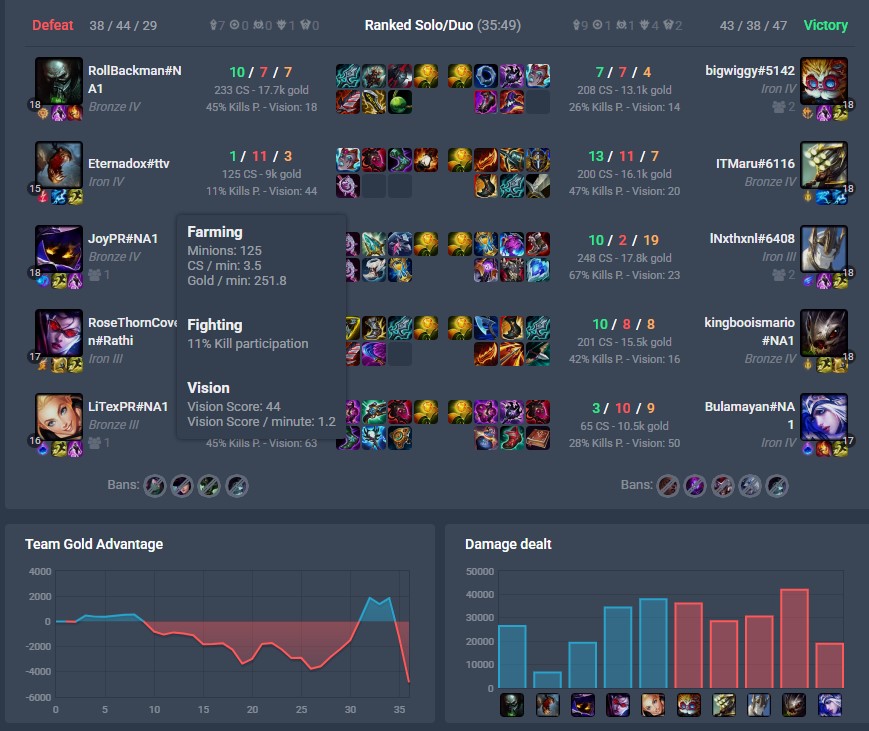
To view individual player statistics, you can use the in-game client for general details or League Graph's Porofessor to give indepth analysis and immediate feedback on your gameplay. Porofessor allows players to see their performance metrics, including KDA, CS per minute, vision score, and more. It also provides personalized tips and recommendations based on your gameplay style.
Where Would I View Overall Player Statistics?

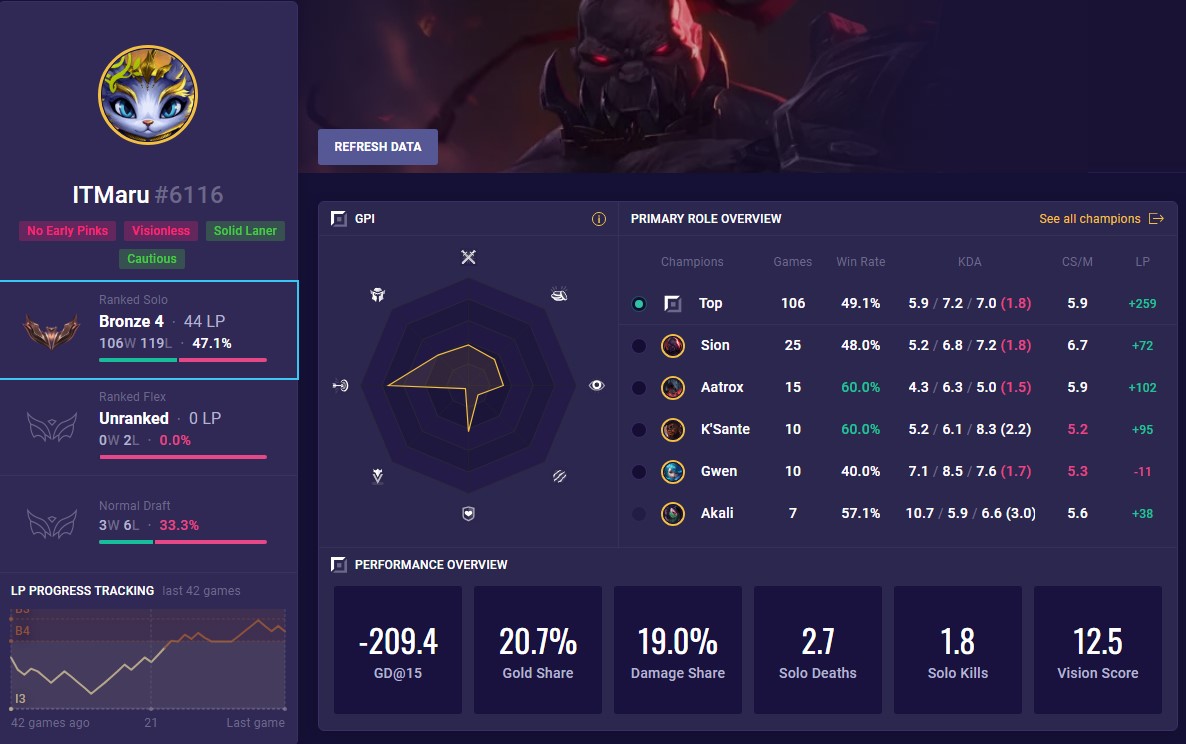
To view overall player statistics, you can use Mobalytics. Mobalytics provides data on player rankings, win rates, champion performance, and some playstyle analysis. They also offer tools for tracking your progress over time and comparing your stats with other players.
Individual Player Metrics
Where Can I Compare With Other Players?

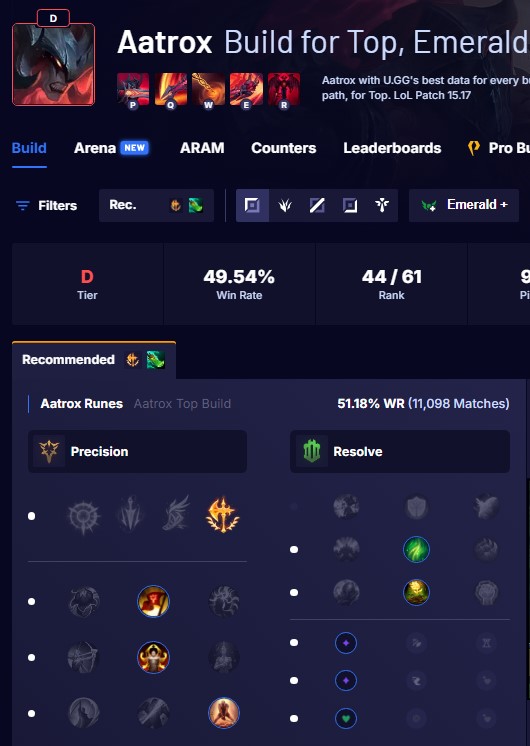
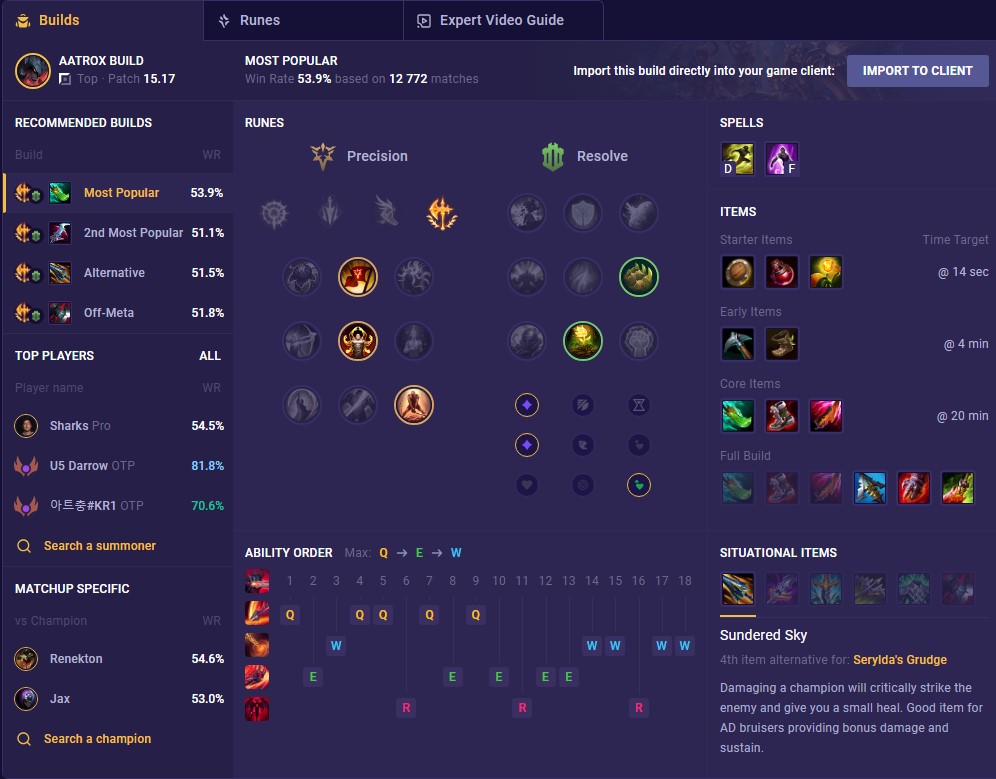
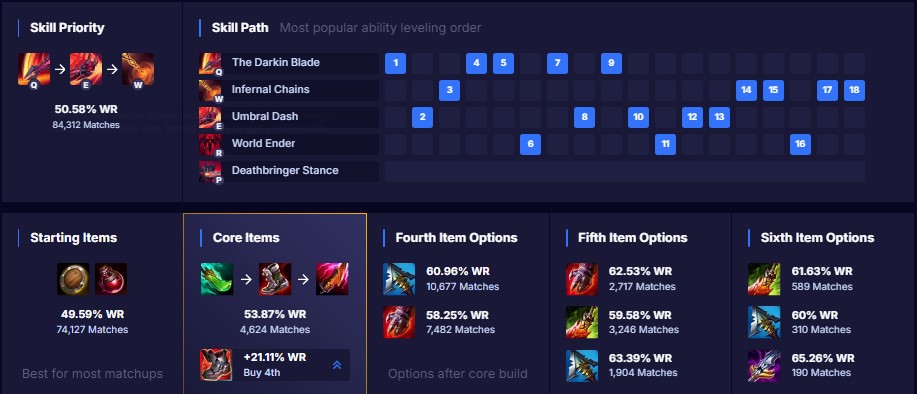
To compare player builds and strategies, you can use U.gg or Mobalytics. Both platforms provide information on popular item builds, rune setups, and skill order for champions.
Where Do I Find Guides To Improve?
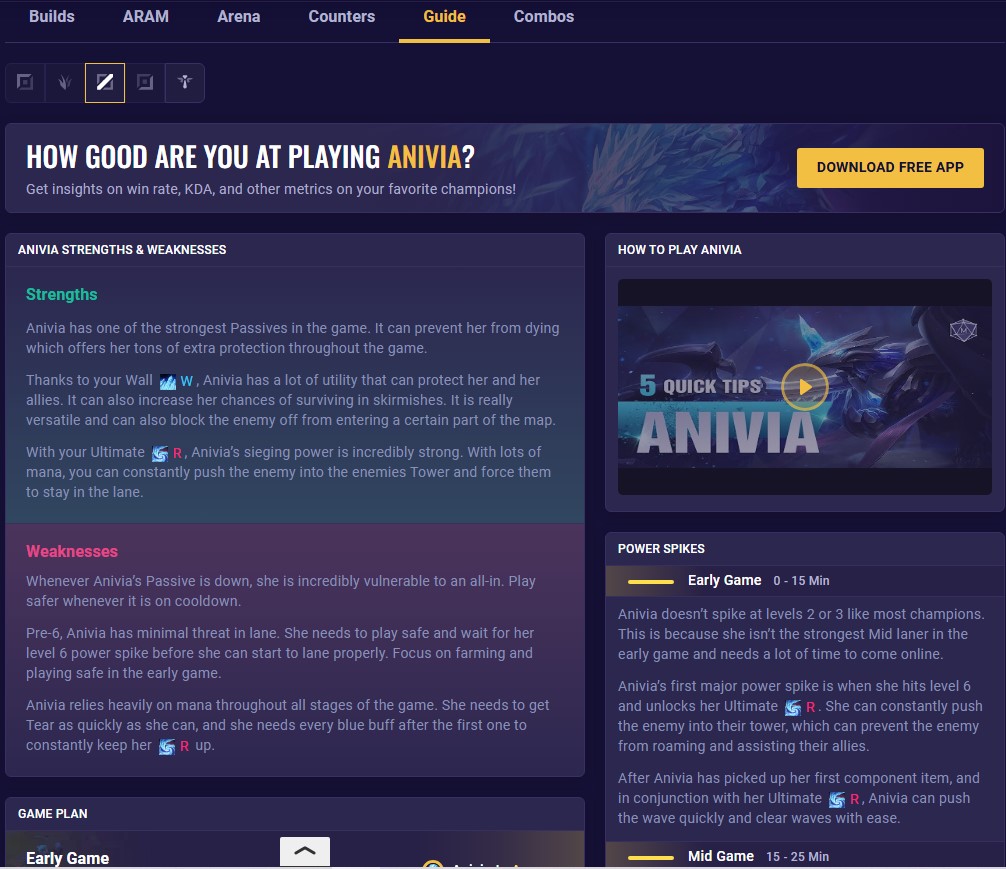
To improve your gameplay, you can use Mobalytics. Mobalytics offer a variety of guides and tutorials created by experienced players and coaches. You can find guides on champion mechanics, laning strategies, champion counters, and more. Additionally, it often includes video explanations that showcase all the concepts in game.
How Would You Apply This To Your Games?
-
Review the Post-Game Stats
Immediately after the game, look at the summary on Porofessor. Look beyond just your KDA and damage. Look at your CS and vision score. Compare it to the other laner.
-
Look at your tags
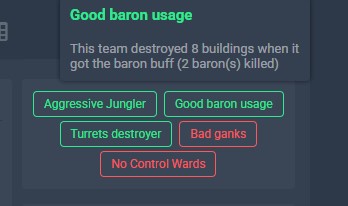
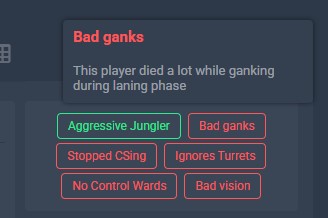
Read the tags and see where you did well or messed up. If you hover over the tag, it will explain what each one means.
-
Go Into Each Tab Category of Your Gameplay.
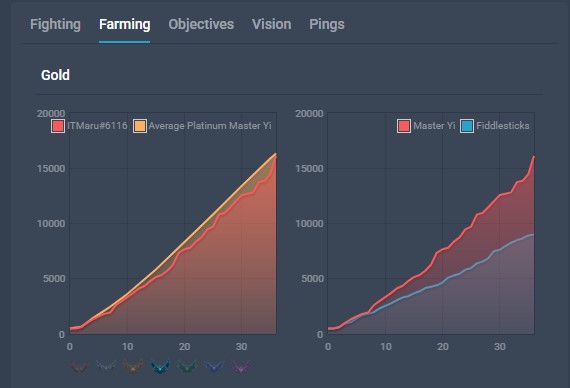
Porofessor Has Many Tabs for you to look at. Use them to identify areas of weakness and look at how you compare to others.
-
Check Your Builds
Open U.gg or Mobalytics. Did you build the most effective items on your champion? Did you follow the recommended builds for your champion and role? Were there any changes that could have been made depending on the matchup?
-
Learn More About Your Champion (If Needed)
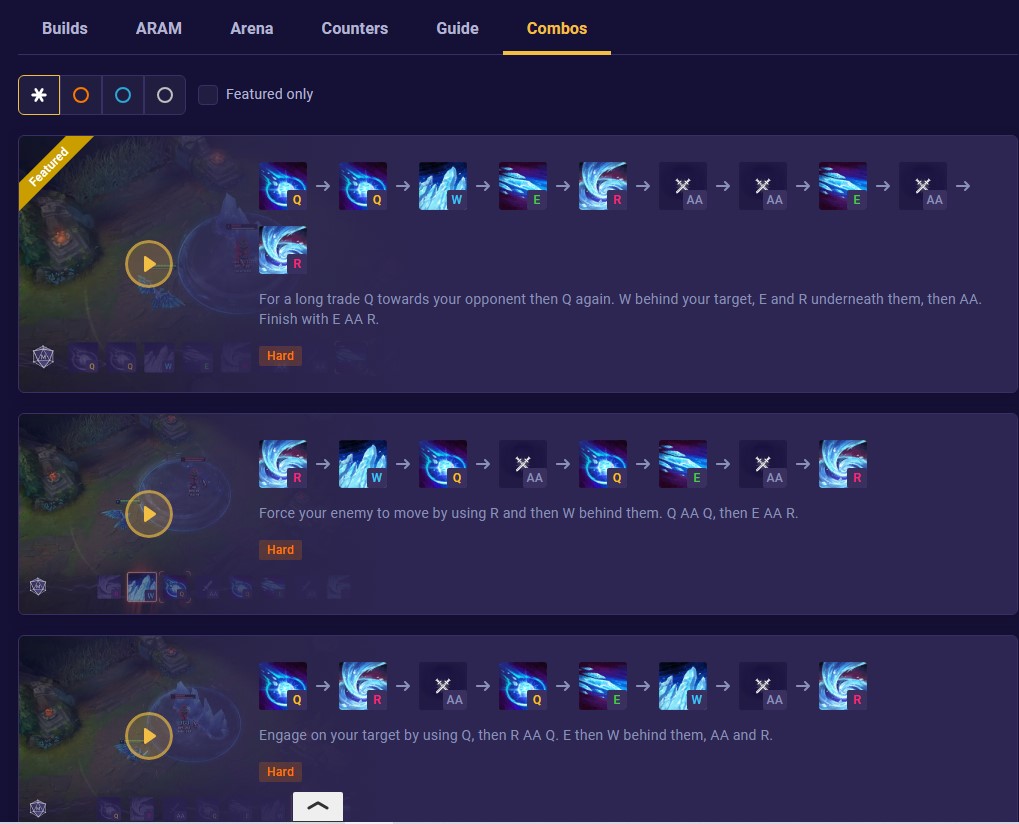
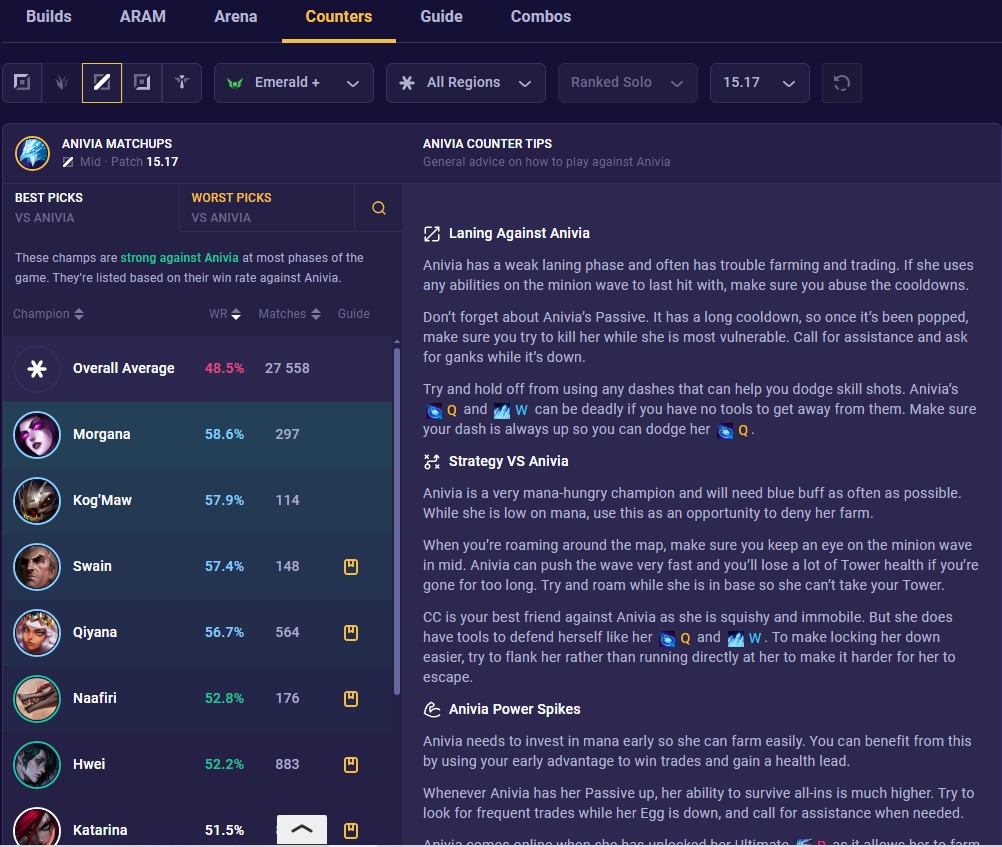
If you did extremely poorly, go to Mobalytics and look at the guides and combos as well as the counters. This will give you a better understanding of your champion and their matchups.
Example Scenario: Improving After a Lee Sin Game
In a hypothetical scenario, let's say I just lost a game as Lee Sin and felt I was permanently slower than the other jungler. Here's how I would use the resources to improve.
Step 1: Identify What Went Wrong with Porofessor
First, I would open Porofessor to view my last match. Everything looks fine at first glance. I had roughly similar stats to the enemy jungler. Though I had more kill participation than the opposing jungler, I had more deaths than the opposing jungler.
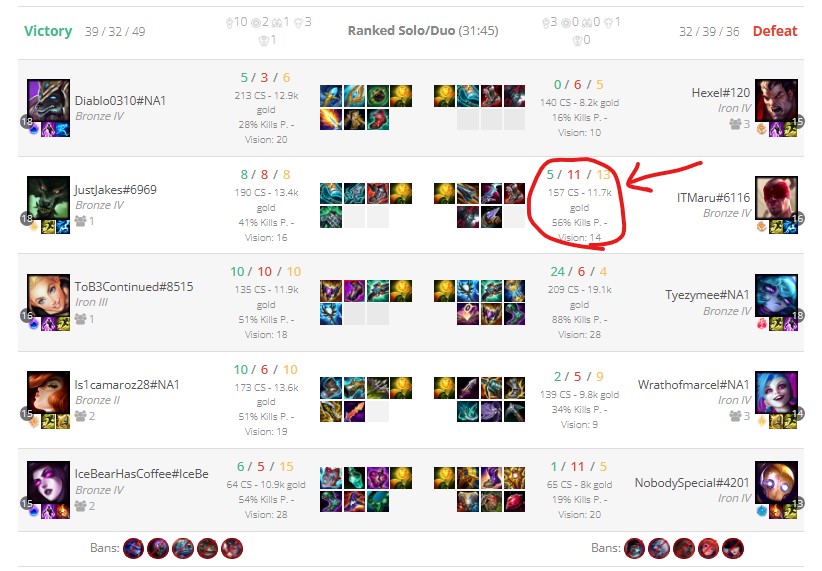
Results: The problem was one major thing. I was dying during my fights. I initiated, however, I often overcommitted and the team was a little slow to follow up. Though we secured the kills this may have led to them winning objectives.
Step 2: Look at Tags
Secondly, verify your suspicions by looking at the tags. I had a tag for Bad ganks, meaning I would often gank and die shortly after. This confirms that I need to work on my fighting and decision-making in fights before objectives.
Step 3: Look at the Tabs
The tabs hold a lot of useful information. For example, my objectives tab showed that I was behind in dragon and herald control. This relates back to the earlier point considering my high amount of deaths.
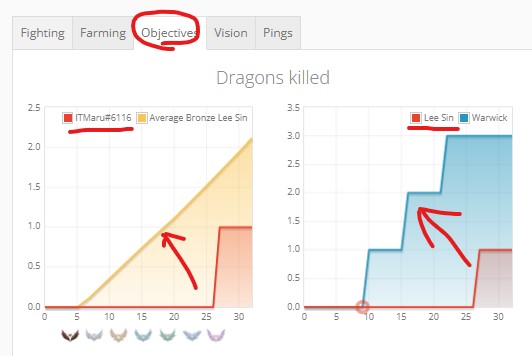
Results: Early deaths during the laning phase led to a lack of map control leading to lost objectives. Without the jungler alive, it is hard to claim early objectives without "smite" available.
Step 4: Check Builds
After analyzing my gameplay, I would check my item build on U.gg or Mobalytics. In this specific game, it can be seen that I prioritized building boots before building more survivability items which may have lead to my deaths in fights.
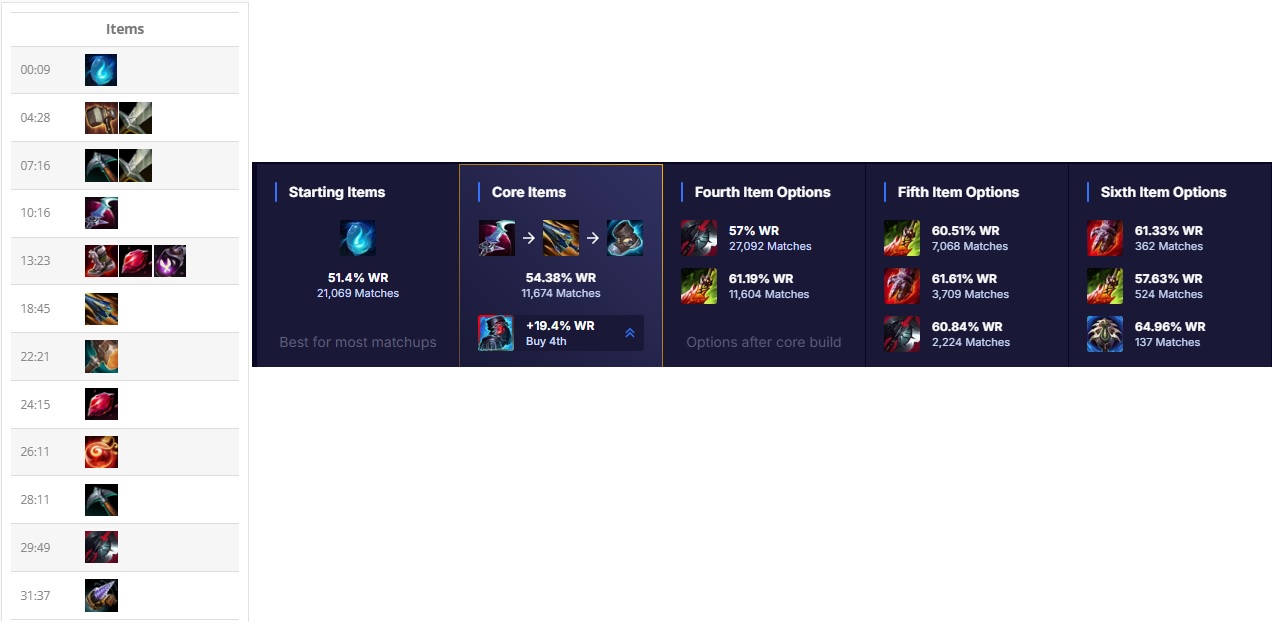
Results: Because I built in the wrong order, my champion began to fall off as I could not keep up with the other team's scaling damage.
Step 5: Learn More
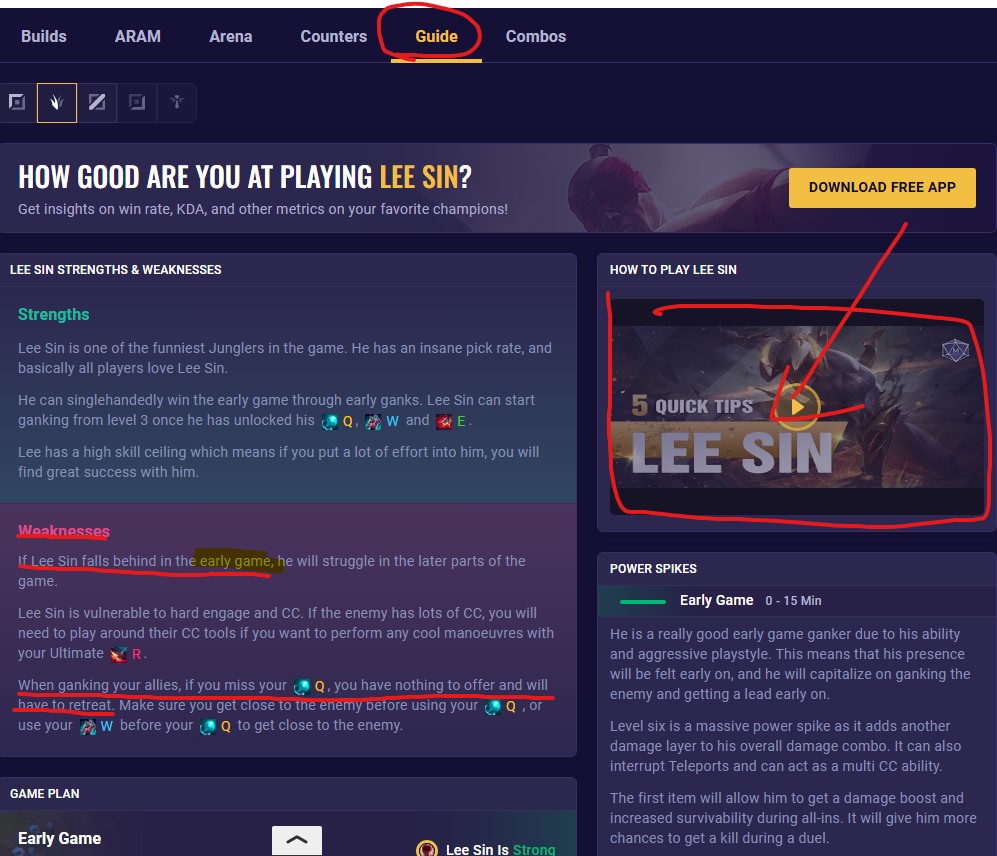
Lastly, I would go to Mobalytics and look at the guides and combos for Lee Sin. I would also look at the counters to see if there was anything I could have done better in the matchup.
Conclusion
In conclusion, by analyzing gameplay through resources like Porofessor, U.gg, Mobalytics, and League Graphs, players can have a better understanding of how to play, where they lack, and how to improve. Just like any other sport or activity, League of Legends requires practice, and these tools can help optimize it.